
Why isn’t my website showing up on Google?
It’s a dreadful scenario for any company when you use Google to search for your most profitable phrases. Unfortunately, the results flash on your screen and Google isn’t displaying your website.
You may be wondering, “Why my website is not showing in Google?!” We have solutions! Your website may not be displayed on Google because of a number of circumstances, including its ranking being too low. In this blog post, we will discuss what it means when your website is not showing in Google, what could be the reason for it, and how to fix it. So, let’s dive in!
What Does It Mean When Your Website Is Not Showing in Google?
When your website is not showing in Google search results, it means that Google has not indexed your website or pages. In other words, Google does not recognise your website or pages as part of its search engine index. This means that your website or pages will not show up in the search results when someone searches for a keyword related to your website or pages.
[FACT] Only 10 organic web listings are displayed on the first page of Google
It is important to note that just because your website is not showing up in Google search results, it does not necessarily mean your website is not indexed. It could just be that your website is not ranking high enough to show up in the search results.
What Could Be the Reason Your Website Is Not Showing in Google?
There could be a few reasons why your website is not showing in Google search results. Some of the most common reasons include:
- Your website is not indexed yet by Google.
- Your website is not optimised for Google search engine.
- Your website is not following Google’s guidelines.
- Your website has indexing or crawling issues.
Google has not indexed your website
There are a number of reasons why Google bots aren’t crawling and indexing your website, which means it won’t appear in search results.
It’s a new website. If your website is brand-new, bear in mind that it can take a few weeks for Google to index it and update the search results to reflect the changes. Since new websites often have little incoming connections, this is particularly true for them. When ranking websites, Google takes both the quantity and the calibre of inbound links into account.
Expect to see ranks for a new website over time; it takes time to increase your domain authority.
If your website uses “no index” tags:
Before searching “Why my website isn’t displaying on Google,” if you have an older site that isn’t indexed, review your “no index” tags. Your website’s “no index” tag stops search bots from crawling and indexing particular pages.
While there are some situations where using “no index” tags is appropriate, you should speak with an SEO company to ensure that it is done correctly and doesn’t block pages that you want to rank from showing up in search results.
A robots.txt file can also prohibit Google crawlers from seeing entire sections of your website, so you’ll want to double-check that you didn’t unintentionally exclude sites from ranking.
How to Check If Your Website Is Indexed by Google?
The first step in figuring out why your website is not showing in Google is to check if your website is indexed. Fortunately, this is an easy process.
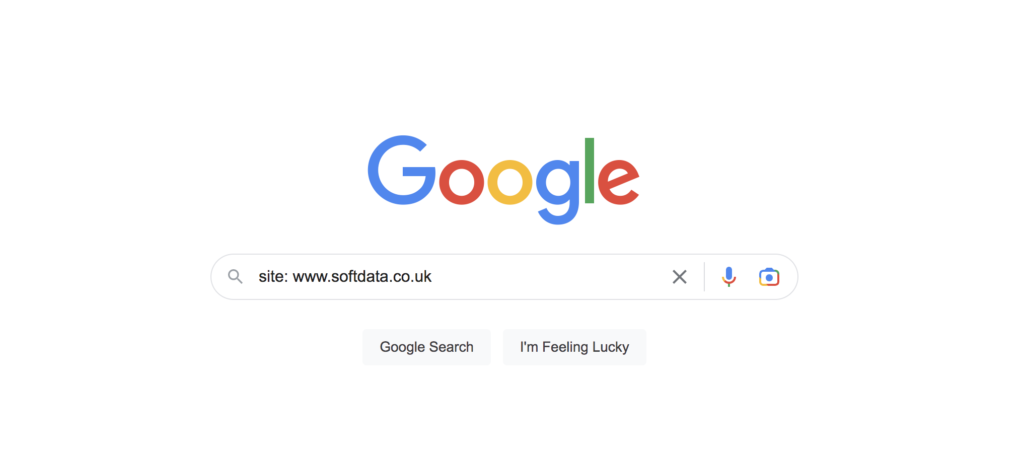 To check if your website is indexed, simply go to Google and type in “site:yourwebsite.com” (replace “yourwebsite.com” with your actual website address). If your website is indexed, you will see a list of pages from your website that are indexed by Google. If not, it means that your website is not indexed yet and you may need to set up and optimise your site using the Google Search Console.
How to setup Google search console for your business >>
What Can You Do If Your Website Is Not Showing in Google?
If you have determined that your website is not indexed by Google, there are a few things you can do to get your website indexed.
The first thing you should do is submit your website to Google. You can do this by creating and verifying a Google Search Console account and submitting a sitemap of your website to Google. This will help Google crawl and index your website.
You should also make sure your website is optimised for Google. This means ensuring that your website is fast, secure, and mobile-friendly. You should also make sure you have good quality content and use relevant keywords throughout your website.
How to Fix Indexing and Crawling Issues?
If you have identified any indexing or crawling issues with your website, there are a few things you can do to fix them.
The first step is to check your robots.txt file and make sure it is not blocking any of your pages from being indexed. You should also check for any broken links or server errors that could be preventing Google from crawling your website.
You can also use Google Search Console to identify and fix any indexing issues. It provides detailed information about your website’s indexing status and can help you identify and fix any potential issues.
How to Optimise Your Website for Google?
Optimising your website for Google is a crucial step in ensuring that your website is indexed and shows up in the search results. There are a few steps you can take to improve your website for Google.
The first step is to make sure your website is fast and secure. This means using a reliable web hosting provider, keeping your website up to date, and using a secure SSL certificate.
You should also make sure your website is mobile-friendly and optimised for different devices. You should also make sure you have good quality content and use relevant keywords throughout your website.
How to Ensure Your Website Is Following Google’s Guidelines?
It is important to make sure your website is following Google’s guidelines. Not following Google’s guidelines can lead to your website being penalised or even de-indexed.
The first step is to make sure your website does not have any hidden or malicious content. You should also avoid using any deceptive practices such as keyword stuffing or link schemes.
You should also make sure you are not using any automated tools to submit your website to Google or manipulate your website’s search rankings. Finally, make sure your website is adhering to Google’s webmaster guidelines.
How to Track Your Website Performance in Google?
Once your website is indexed and optimised for Google, it is important to track its performance in Google. This will help you identify any potential issues and take corrective action.
Google Search Console is a great tool for tracking your website’s performance. It provides detailed information about your website’s search rankings, traffic, and indexing status. You can also use it to identify any potential issues and take corrective action.
You can also use Google Analytics to track your website’s performance. It will provide you with detailed information about your website’s traffic, user behaviour, and conversions.
Conclusion
Ensuring that your website is showing in Google search results is crucial for getting more traffic and growing your business.
In this blog post, we discussed what it means when your website is not showing in Google, what could be the reason for it, and how to fix it.
We discussed how to check if your website is indexed by Google, how to optimise your website for Google, how to ensure your website is following Google’s guidelines, and how to track your website performance in Google.
We hope this blog post has helped you understand why your website is not showing in Google search results and how to fix it.
If you have any further questions or need help optimising your website for Google, feel free to contact us. We are here to help!
FAQ For Website Is Not Showing in Google
Why are organic search results are important?
A staggering 75% of users never scroll past the first page of search results.
This means that the majority of people won’t see or contact your company if your website doesn’t appear on the first page of Google search results.
You lose qualified leads and money when your website doesn’t appear in Google. As a result, you should find the issue and solve it right away. Want a solution? Use softdata’s SEO service 🙂
Digital Marketing Agency in Gloucester and Cheltenham
Softdata is a leading digital agency and AI Services provider based in Gloucester and Cheltenham.About us: Softdata is a premier digital software agency and digital marketing provider, based in Gloucester and Cheltenham. We offer a range of digital services including web design, bespoke software development, SEO, Paid advertising, conversion rate optimisation, web hosting, and AI consultancy services. Our team is dedicated to providing the best solutions tailored to the unique needs of our clients.
If you would like to discuss your needs with a Digital Specialist, we offer a Free Initial Consultation without cost or commitment. Meetings can be held at our offices, via video conference, or by telephone. Our telephone number is 01452 502 508.
Softdata is located at: Softdata Internet Limited, 80 Westgate Street, Gloucester, GL1 2NZ.