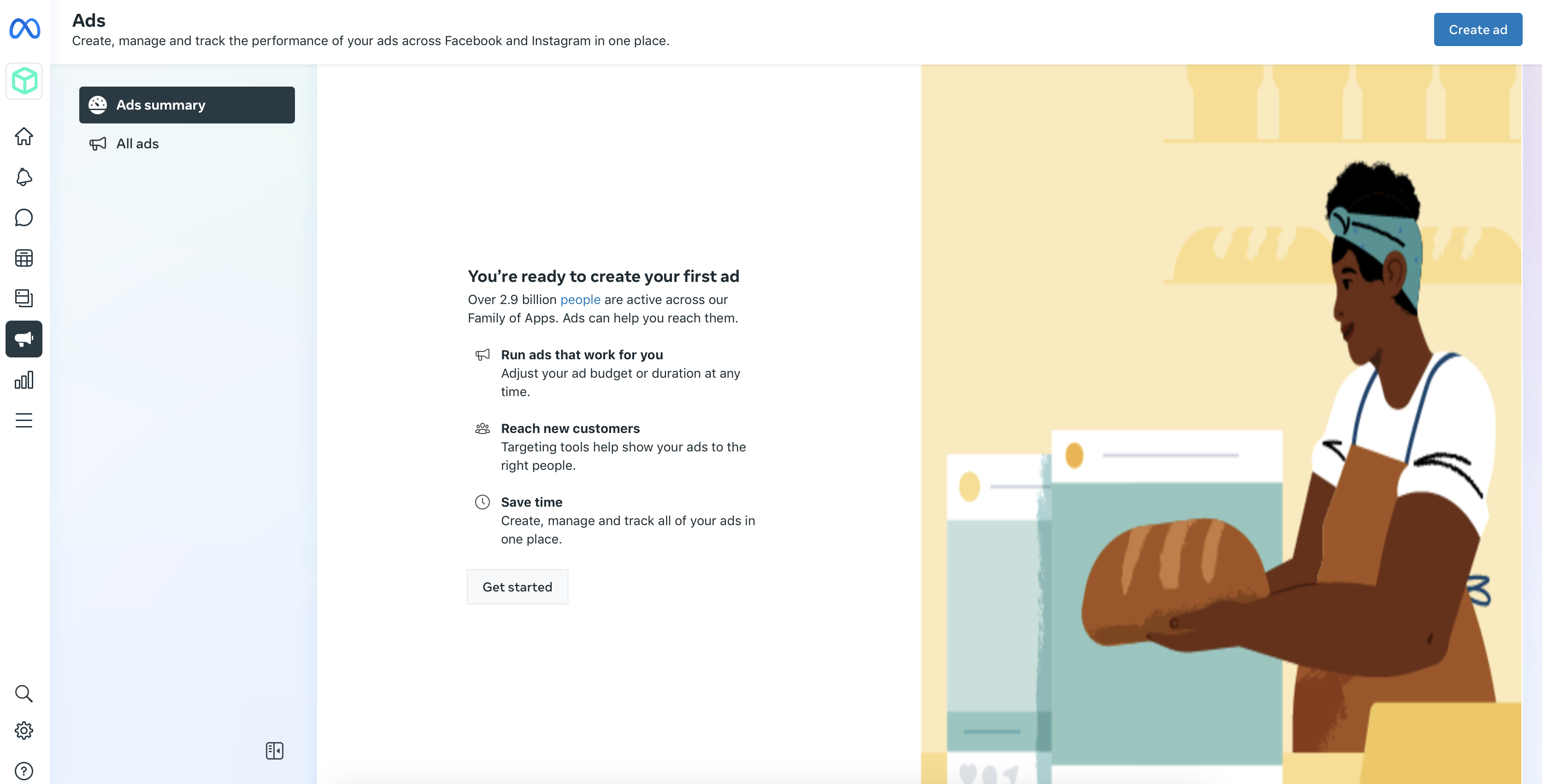
In today’s digital era, businesses are increasingly turning to online advertising platforms to reach and engage their target audience. One of the most popular platforms is Facebook Advertising, with its advertising management tool, Facebook Ads Manager. So, what is a Facebook ad manager? This comprehensive guide will delve into the ins and outs of this tool, providing a clear understanding of its functionalities and how to effectively utilise it to achieve your business objectives.
1. Introduction to Facebook Ads Manager
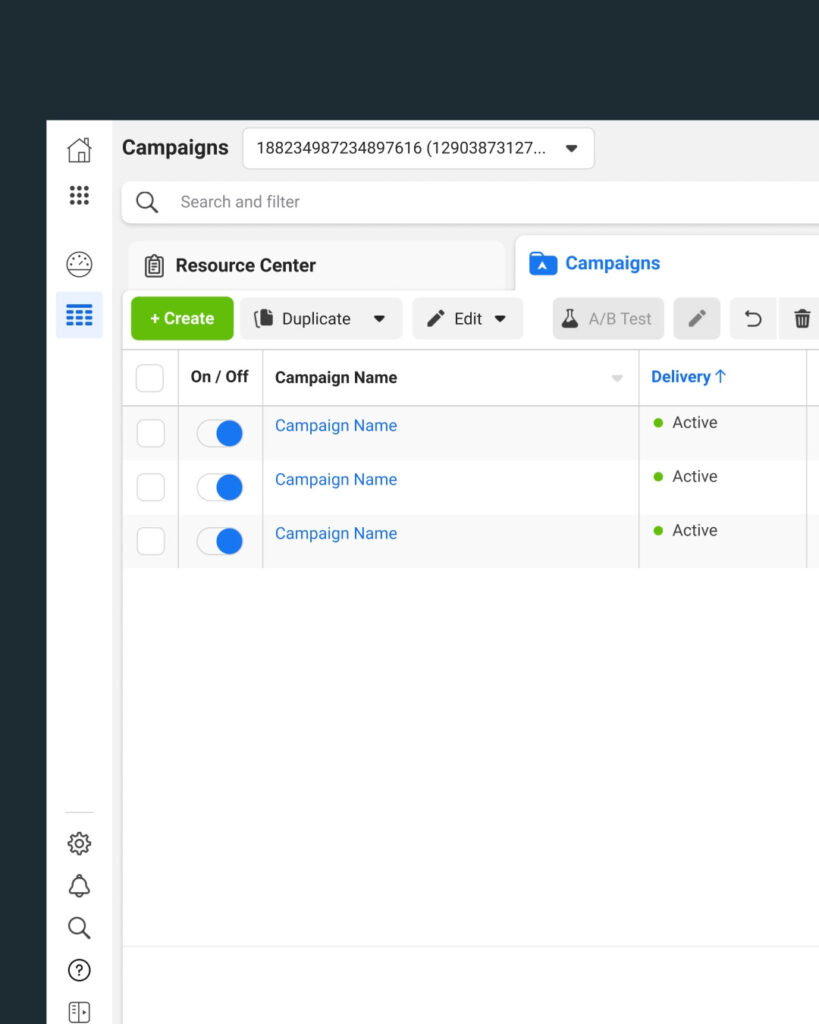 Facebook Ads Manager is a comprehensive ad management tool designed to create, edit, and analyse promotional campaigns on Facebook. It presents a unified platform, combining the functionalities of Ads Manager and Power Editor, making it easier to manage social media ad campaigns across several advertising platforms owned by Facebook, including Instagram ads.
The Facebook Ads Manager is your all-in-one solution for creating, managing, and tracking ads. It’s a robust platform with a wide range of features designed to help you optimise your ads and deliver successful campaigns.
2. Setting Up Your Facebook Ads Manager Account
Before you can start creating ads, you need to set up your Facebook Ads Manager account. Here’s how to do it:
- Log into Facebook Account: Begin by logging into your Facebook account and select ‘Create Ads’ from the drop-down menu in the upper right.
- Navigate to Ads Manager: You can find the Facebook Ads Manager by clicking the arrow in the top-right corner of your Facebook page. From the drop-down menu, select ‘Manage Ads.’
- Set Up Account Details: Enter your business name, currency, and time zone. Be meticulous with your currency and time zone selection as you won’t be able to modify these settings unless you create a new ad account.
- Add Payment Method: You need to add a verified payment method to pay for the ads.
By following these steps, you’ll have successfully set up your Facebook Ads Manager account and can start creating your ad campaigns.
3. Navigating the Facebook Ads Manager Main Menu
The main menu of the Facebook Ads Manager is divided into five sections: Plan, Create & Manage, Measure & Report, Assets, and Settings. Each section contains specific tools and options related to its function, enabling you to plan, create, manage, measure, and analyse your ad campaigns effectively.
Plan
The planning section houses tools that provide insights about your audience and offer creative ideas for your ads. The ‘Audience Insights’ tool provides valuable data about different audiences on Facebook, helping you fine-tune your targeting strategy. The ‘Creative Hub’ allows you to produce ad mockups for review and brainstorm fresh ideas for your ads.
Create & Manage
The Create & Manage section is where you’ll spend most of your time. It includes tools for creating your ad campaigns and managing them. The ‘Ads Manager’ tool allows you to run your ad campaigns and analyse their performance. You can also get the Facebook pixel, customise reports, and download data to share with your team.
Measure & Report
The Measure & Report section is crucial for analysing your ad performance. It houses tools that allow you to track and report on the performance of your ads. You can create custom conversions to track whether your ads are meeting your business goals.
Assets
The Assets section is a repository of all your key advertising assets. Here, you can access your saved audiences, images, Facebook pixel, product catalogs, videos, and more used in your ads.
Settings
In the Settings section, all of your account information is stored. Here, you can update your payment information, email, and other account details.
4. Creating and Managing Campaigns Using Facebook Ads Manager
To leverage the Facebook Ads Manager effectively, you need to understand how to create and manage campaigns within the tool. Here’s a step-by-step guide:
– Set a Campaign Objective
The first step in creating a Facebook ad is selecting your campaign objective. The objective depends on what you want to achieve with your campaign. Facebook provides a range of objectives such as conversions, website clicks, or engagement.
– Choose a Campaign Name
Naming your campaigns helps keep them organised, especially if you’re running multiple campaigns at the same time. Choose a name that aligns with your campaign’s objective.
– Define Your Target Audience
Defining your target audience is a crucial step. Facebook Ads Manager allows you to set specific parameters based on location, gender, age, interests, and more to reach your ideal customers.
– Select Ad Placement
Facebook offers numerous options for ad placement. Your ads can appear in Facebook feeds, Instagram feeds, right-hand column of Facebook, Stories, among others.
– Set Your Budget and Schedule
You can set a daily or lifetime budget for your campaign. Facebook’s flexibility allows you to spend as much or as little as you want on your ads.
– Create Your Ad
The last step involves creating your ad. Facebook offers several ad formats including image ads, video ads, slideshow ads, carousel ads, Canvas ads, and collection ads.
Once you’ve created your ad, submit it for approval. Once approved, the ad will go live according to your set schedule.
5. Advanced Features of Facebook Ads Manager
Facebook Ads Manager comes equipped with several advanced features that can significantly enhance your ad campaigns.
– Audience Insights
The Audience Insights tool provides valuable data about different audiences on Facebook. You can gain information about their demographics, location, behaviour, and more. This information can help shape your ad campaigns and targeting strategy.
– Facebook Pixel
The Facebook pixel is a piece of code that helps track user activity on your website. It allows you to track conversions on your site, optimise your ads for conversions, and retarget people who have visited your site.
– Advanced Targeting
Facebook Ads Manager offers advanced targeting options. You can target people based on their behavior, interests, and demographics. This can help you reach people who are most likely to be interested in your products or services.
6. Analysing Ad Performance with Facebook Ads Manager
 Analysing your ad performance is crucial for optimising your campaigns and improving your return on investment. Facebook Ads Manager provides several tools and features that can help you analyse your ad performance, such as the Account Overview tab, Campaigns, Ad Sets, and Ads tabs.
By analysing your ad performance, you can identify areas of improvement, understand what’s working, and make strategic decisions to enhance your campaigns’ effectiveness.
7. Understanding the Performance of Your Facebook Ads
Analysing your ad performance helps you understand whether your ads are meeting their objectives or not. Facebook Ads Manager allows you to evaluate your ad performance based on different metrics like click-through rate, cost per conversion, reach, and impressions.
By understanding these metrics, you can create more effective ads and improve your return on investment.
8. The Importance of Facebook Ads Manager for Businesses
Facebook Ads Manager is an essential tool for any business that wants to take advantage of Facebook’s vast user base. With its advanced features and easy-to-use interface, it allows businesses to create effective ad campaigns that reach their target audience and achieve their marketing objectives.
Moreover, with its comprehensive analytics and reporting capabilities, businesses can track their ad performance and make data-driven decisions to optimise their campaigns.
9. Leveraging Facebook Ads Manager for Better Ad Performance
Understanding what is a Facebook ad manager and how to use it effectively can significantly enhance your ad performance. By leveraging its advanced targeting, comprehensive analytics, and various ad formats, you can create compelling ads that resonate with your audience and drive desired actions.
Remember, the key to successful advertising on Facebook lies in testing different ad variations, constantly monitoring performance, and tweaking your strategy based on insights gained.
10. Conclusion: Mastering Facebook Ads Manager for Business Success
In conclusion, Facebook Ads Manager is a powerful tool that can help businesses leverage the power of social media advertising. By understanding Facebook ad manager and how to use it effectively, businesses can create targeted ad campaigns, track their performance, and optimise their strategies for better results.
Whether you’re a small business owner or a digital marketing professional, mastering Facebook Ads Manager is essential for driving business success in today’s digital landscape. With its comprehensive features and user-friendly interface, it provides a one-stop solution for all your Facebook advertising needs.
Remember, the digital landscape is ever-evolving, and so are the tools and platforms that we use. To stay ahead in the game, it’s essential to keep learning, experimenting, and adapting. Happy advertising!
Digital Marketing Agency in Gloucester and Cheltenham
Softdata is a leading digital agency and AI Services provider based in Gloucester and Cheltenham.About us: Softdata is a premier digital software agency and digital marketing provider, based in Gloucester and Cheltenham. We offer a range of digital services including web design, bespoke software development, SEO, Paid advertising, conversion rate optimisation, web hosting, and AI consultancy services. Our team is dedicated to providing the best solutions tailored to the unique needs of our clients.
If you would like to discuss your needs with a Digital Specialist, we offer a Free Initial Consultation without cost or commitment. Meetings can be held at our offices, via video conference, or by telephone. Our telephone number is 01452 502 508.
Softdata is located at: Softdata Internet Limited, 80 Westgate Street, Gloucester, GL1 2NZ.