
How Can an XML Sitemap Benefit Your SEO?
Ever lost anything? Wouldn’t it be much simpler if you had a map that detailed precisely where it was located? Well, that’s just like an XML sitemap does for search engine crawlers – it helps them to identify and index pages on your website more easily. In this article, we are going to explain what is an XML sitemap, how to make one and how to submit it to Google Search Console. Keep reading to continue learning about it.
So, what is an XML sitemap?
Search engines make use of crawlers, which are bots that scour the World Wide Web for webpages. Despite these bots being pretty fast, it can take them a significant amount of time to locate a certain page on your website, considering the volume of content on the web. XML sitemaps can be of assistance here! An XML sitemap is a file on your website that lets search engine crawlers know which pages you want them to pay attention to.
This example from sitemaps.org illustrates a sitemap containing a single link.
 The structure of a sitemap consists of three necessary components. The <urlset> is the part that holds all of the URLs in the sitemap. It is then followed by the <url> tag. This is a container that holds information associated with individual URLs. Finally, the individual URL information is provided.
Within the URL tag is the <loc> element, which should contain the URL that you want web crawlers to access. While other tags are not necessary for search engines, they can be quite helpful. The <lastmod> tag reveals when a file was modified, the <changefreq> tag indicates the frequency of your page updates, and the <priority> tag allows crawlers to know which pages have more importance on your website. As an example, here is our sitemap from our site using RankMath WordPress plugin.
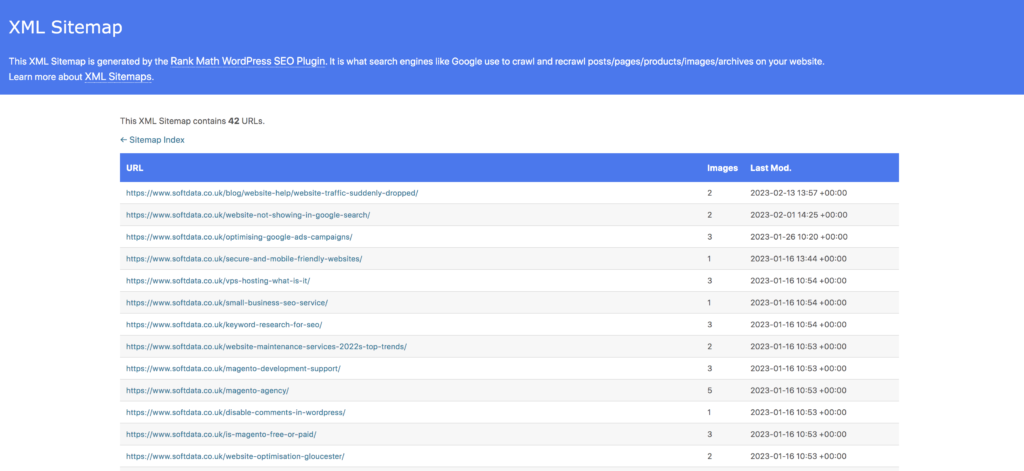 The above picture of an XML sitemap contains links to all of its webpages, as well as images and the last changes.
What is the purpose of a sitemap and how does it influence Search Engine Optimisation?
Your website can be understood by looking at a sitemap, which is essentially a plan of all the elements of the website. This document includes the details of the various pages, videos, and other files, as well as their relationships to each other.
SEO is positively impacted by the use of sitemaps. XML sitemaps are particularly useful for images on a website. Additionally, HTML sitemaps are also very helpful in optimising a website’s search engine ranking. Typically, a link to the HTML sitemap can be located in the footer of a website. An illustration of an HTML sitemap which includes links to all the pages on a website can be seen below.
The HTML sitemap, created to facilitate both people and crawlers, makes it simple for crawlers to discover and catalogue links on your website.
Search engine crawlers utilise XML sitemaps to locate new pages to index. This is a crucial factor when it comes to determining how well your website will rank in search results. Having an XML sitemap can give your SEO efforts a considerable advantage.
What is the process to create an XML sitemap for a website?
When creating an XML sitemap, you should include hyperlinks to each page that you want search bots to crawl. If you don’t want a search engine to crawl a particular page, you should not include it in the XML sitemap. Nevertheless, that will not stop the search engine crawler from discovering it.
Don’t forget to include any pages you don’t want crawled in your robots.txt file. To generate a sitemap for your website, XML-Sitemaps.com is a great tool to utilise. If your website has 500 pages or less, this tool is free to use.
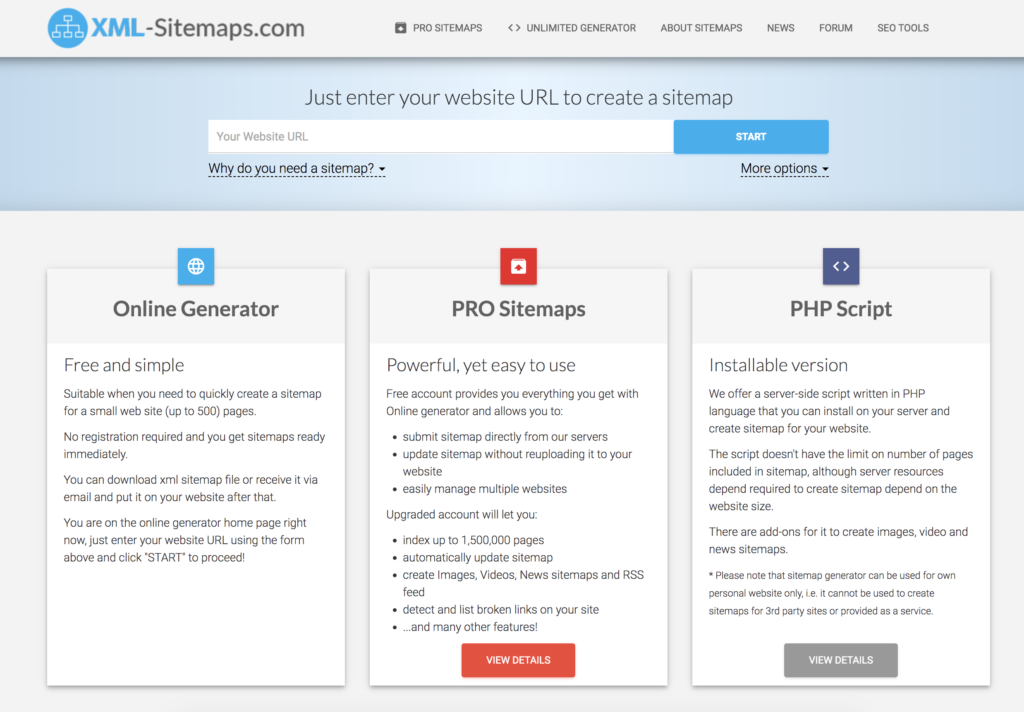
If you are running a WordPress website, there are some plugins that will automatically create and keep your XML sitemap up-to-date. Next, let’s take a look at the steps to upload the XML sitemap.
What is the process for submitting an XML sitemap to Google Search Console?
Before beginning, it is essential to have a Google Search Console account connected to your website. To do this, simply go to this link. Once the account is established, head to the “Index” section of the left sidebar in Google Search Console, where you will find “Sitemaps.” Click on this, and you will be taken to a page where you can enter the URL of your sitemap.
To upload your sitemap to Google, paste the URL into the “Add a new sitemap” box and hit submit. Google’s crawler will take a few days or weeks to crawl your site, which you can monitor in the sitemaps report. It is important to update your sitemap periodically, but once it is submitted to Google Search Console, the crawler will take care of the rest.
Tip: If you’re using a WordPress website, we highly recommend to use RankMath SEO plugin. The plugin will push through new and edited content to Google automatically 😉
Didn’t seem too hard, did it? If you found this article useful, you may want to take a look at our SEO blog articles to get more information on search engine optimisation.
XML Sitemap Frequently Asked Questions
What is an XML sitemap?
We frequently hear the question “What is an XML sitemap?” at softdata. An XML sitemap is the most popular sitemap on the internet. A list of URLs that are present on a specific website is described using the XML (Extensible Markup Language) format. You can describe the pages, videos, and other resources on your site as well as the connections between them in a sitemap file. This file is examined by search engines like Google to improve the way they index your website.
How do I update my XML sitemap?
Sitemaps can be created and updated manually, although we don’t recommend it. Additionally, you may always create a sitemap with the aid of static generators. But once more, this procedure would have to be repeated each time you add or modify information. RankMath and Yoast SEO are the easiest tools to use if you’re using WordPress. In many other CMS such as Magento website, all of your updates will be automatically added to your sitemap.
Is their a difference between an XML and HTML sitemap?
The key difference between the two types is that although XML sitemaps are made for search engines, HTML sitemaps are simple for users to read and comprehend. A file called an XML sitemap is created for search engine robots to read. This file contains a lot of the website’s background operations.
Do we really need to worry about sitemaps now?
The most crucial pages on a website are listed in a sitemap, ensuring that search engines can find and scan them. Sitemaps also help visitors comprehend the layout of your website, making it simpler to explore. You would want every page of your website to be indexed by Google and other search engines, right?
With over 30 years of experience and amazing SEO marketing specialists, we have the abilities and expertise to grow your business online.
See how our team can assist you by looking through our customer reviews and digital marketing services.
If you have any questions, give us a call at 01452 502 508 or Book A Free Consultation
Digital Marketing Agency in Gloucester and Cheltenham
Softdata is a leading digital agency and AI Services provider based in Gloucester and Cheltenham.About us: Softdata is a premier digital software agency and digital marketing provider, based in Gloucester and Cheltenham. We offer a range of digital services including web design, bespoke software development, SEO, Paid advertising, conversion rate optimisation, web hosting, and AI consultancy services. Our team is dedicated to providing the best solutions tailored to the unique needs of our clients.
If you would like to discuss your needs with a Digital Specialist, we offer a Free Initial Consultation without cost or commitment. Meetings can be held at our offices, via video conference, or by telephone. Our telephone number is 01452 502 508.
Softdata is located at: Softdata Internet Limited, 80 Westgate Street, Gloucester, GL1 2NZ.